
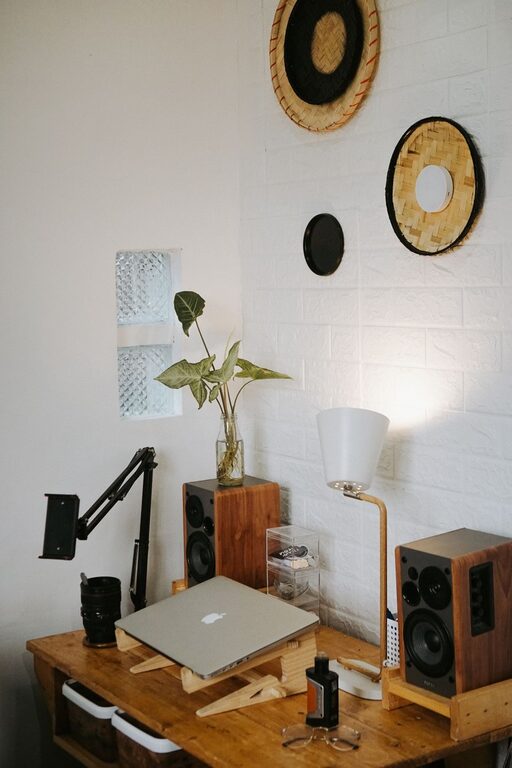
Creating a home office that is both cozy and productive can greatly improve your work experience and efficiency. Whether you’re working remotely full-time or occasionally need a quiet space for tasks, a well-designed office can help you stay organized, comfortable, and motivated. Here are practical tips to guide you through setting up your perfect home office space.
Choose the Right Location
Finding the ideal spot for your office is the first step toward making it functional and pleasant.
– Quiet and Private: Pick a location away from heavy foot traffic or noisy areas to minimize distractions.
– Natural Light: Ideally, choose a space near a window. Natural light boosts mood and productivity.
– Space: Make sure there’s enough room for your desk, chair, and any equipment you need without feeling cramped.
Invest in Comfortable and Supportive Furniture
Comfort is key for maintaining focus during long hours.
– Ergonomic Chair: An adjustable chair with good lumbar support helps prevent back pain.
– Desk Size: Choose a desk that comfortably fits your computer, paperwork, and any accessories.
– Standing Desk Option: Consider a height-adjustable desk so you can alternate between sitting and standing.
Organize for Efficiency
A clutter-free space helps clear your mind and streamlines your workflow.
– Storage Solutions: Use shelves, filing cabinets, or baskets to keep supplies organized.
– Desk Organizers: Pens, paper clips, and notebooks should have designated spots.
– Cable Management: Use clips or cable boxes to keep cords tidy and prevent tangles.
Personalize to Boost Comfort and Inspiration
Adding personal touches can make your office more inviting and reflect your style.
– Artwork and Photos: Hang inspiring images or personal photos to create a welcoming atmosphere.
– Plants: Indoor plants improve air quality and add a touch of nature, which can reduce stress.
– Soft Textiles: Incorporate cushions, rugs, or throws for warmth and texture.
Optimize Lighting
Proper lighting reduces eye strain and enhances focus.
– Layered Lighting: Combine ambient light (ceiling lights), task lighting (desk lamp), and accent lighting for balance.
– Adjustable Lamps: Use lamps with adjustable brightness and positioning to suit your needs.
– Avoid Glare: Position screens and lights to avoid reflections that can cause discomfort.
Establish a System for Digital Work
Keeping your digital workspace organized is just as important.
– File Management: Use a consistent naming and folder system on your computer.
– Backup Solution: Regularly back up important files to the cloud or an external drive.
– Declutter Desktop: Keep your computer desktop free from unnecessary shortcuts or files.
Create Boundaries and Maintain Routine
To separate work from home life, set clear boundaries.
– Define Work Hours: Stick to a schedule to help your mind switch into work mode.
– Separate Workspace: Use your office exclusively for work to avoid distractions.
– Breaks: Take regular breaks to rest your eyes and stretch; it helps maintain productivity and energy.
Incorporate Technology Wisely
Equip your home office with the right tools to support your tasks.
– Reliable Internet: A strong internet connection is essential for virtual meetings and research.
– Quality Equipment: Invest in a good webcam, microphone, and headset for clear communication.
– Useful Apps: Utilize productivity and communication apps to stay organized and connected.
—
Designing a home office that is both cozy and productive doesn’t have to be complicated. By selecting the right location, choosing comfortable furniture, organizing efficiently, and personalizing the space, you can create an environment that enhances focus and inspires creativity. Remember to adjust your setup as needed so it continues to support your work style and needs over time.