
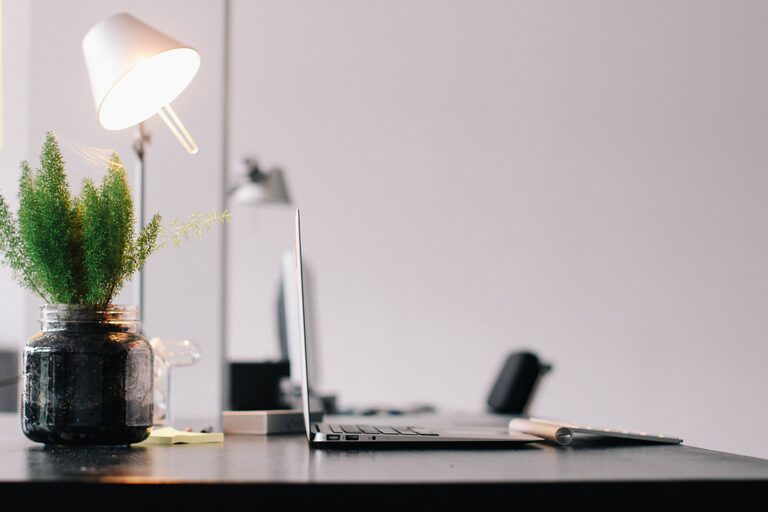
Creating a dedicated and productive home office space is essential for anyone who works remotely, freelances, or needs a quiet area for focused tasks. A well-designed workspace can enhance concentration, reduce distractions, and even improve your overall well-being. Whether you have a whole room or a small corner, these tips will help you set up a home office that supports your productivity and comfort.
Choose the Right Location
Selecting the right spot in your home is the first step when creating your office. Ideally, this should be a quiet area, away from high-traffic zones like the kitchen or living room. A location with natural light is a great bonus, as it can improve mood and reduce eye strain.
Consider these factors:
– Privacy: Find a place where you can minimize interruptions.
– Space: Ensure you have enough room for your desk, chair, and necessary equipment.
– Noise Level: Avoid noisy areas or use soundproofing techniques if needed.
– Lighting: Opt for a space with windows or place your desk near a light source.
Invest in Ergonomic Furniture
Comfort plays a crucial role in maintaining productivity. Ergonomic furniture supports good posture and prevents discomfort during long work hours.
Desk
Choose a desk that fits your space and work style. If possible, consider adjustable desks that allow you to alternate between sitting and standing.
Chair
An ergonomic chair with lumbar support helps reduce back pain and promotes better posture. Make sure it is adjustable in height and comfortable for extended use.
Accessories
Consider ergonomic accessories like keyboard trays, monitor stands, and footrests to create a comfortable setup.
Organize Your Workspace
A cluttered workspace can be distracting and stressful. Keeping your desk tidy and organized helps maintain focus and saves time searching for items.
Tips for Organization
– Use storage solutions like drawers, shelves, or filing cabinets.
– Keep only everyday essentials on your desk.
– Use cable organizers to manage cords and chargers.
– Incorporate desk organizers or trays for pens, notepads, and other supplies.
Optimize Lighting
Lighting affects your eye comfort and alertness. Poor lighting can cause headaches and fatigue.
Natural Light
Maximize daylight by positioning your desk near windows. Use curtains or blinds to control glare.
Artificial Light
Use a combination of ambient and task lighting. A good desk lamp with adjustable brightness can help when natural light is insufficient, especially in the evenings.
Minimize Distractions
Distractions can break your flow and reduce your efficiency. Creating a space that reduces interruptions is essential.
– Inform family members or roommates about your work hours.
– Use noise-cancelling headphones or white noise machines if ambient sounds are unavoidable.
– Turn off non-essential notifications on your devices.
– Set boundaries for breaks and work time to stay disciplined.
Personalize Your Space
Adding personal touches can make your workspace more inviting and motivating. However, avoid overdecorating, which might lead to clutter.
Ideas include:
– A small plant to add greenery and improve air quality.
– Motivational quotes or artwork.
– Photos or items that inspire you.
Consider Technology Needs
Ensure your office has the technology required to do your work smoothly.
– Reliable internet connection.
– Quality computer or laptop with necessary software.
– Printer/scanner if needed.
– Properly functioning peripherals like mouse, keyboard, webcam, and headphones.
Keep cables organized and ensure power outlets are accessible.
Incorporate Break Areas and Movement
Even in limited spaces, it’s important to take breaks and move around to prevent fatigue.
– Stand up or stretch every hour.
– Include a small area in your home for quick breaks, if possible.
– Use reminders or apps that prompt movement periodically.
Maintain a Routine
Having a consistent daily schedule helps your mind associate the space with work.
– Set specific work hours.
– Start your day by preparing your workspace.
– Take regular breaks and stop working at a set time.
Regularly Refresh Your Space
Periodically review and update your home office setup for continued comfort and productivity.
– Declutter regularly.
– Upgrade equipment or furniture as needed.
– Adjust lighting and layout based on season or changing needs.
—
By following these practical tips, you can create a home office that promotes focus, comfort, and productivity. Remember, your workspace should reflect your personal needs and preferences while providing an environment conducive to effective work. Whether starting from scratch or improving an existing setup, small changes can make a big difference in your daily performance and well-being.