
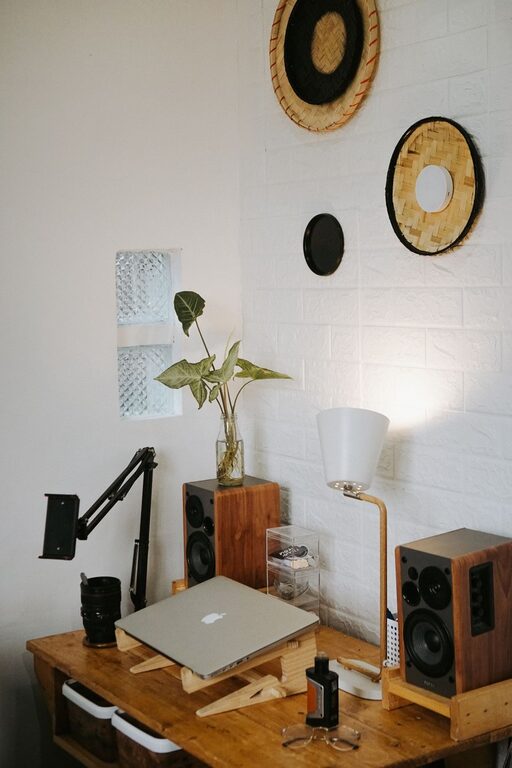
Creating a home workspace that is both comfortable and productive can make a significant difference in your daily work routine. Whether you work remotely full-time or occasionally, the right environment helps you focus, maintain good health, and feel motivated. In this post, we’ll explore practical tips to set up a workspace that supports your productivity and well-being.
Why a Dedicated Workspace Matters
Working from a designated area helps you mentally separate work from personal life. It can reduce distractions, improve concentration, and establish a consistent routine. Having a space optimized for work also encourages better posture and reduces physical strain, contributing to overall comfort.
Choosing the Right Location
Consider Natural Light
Natural light can boost mood and energy levels. Try to position your desk near a window, but avoid glare on your screen. If natural light is limited, invest in quality artificial lighting that mimics daylight.
Minimize Noise and Distractions
Select a quiet spot away from household traffic or noisy appliances. Use noise-canceling headphones or white noise machines if eliminating sound is not possible.
Ergonomics: Comfort Meets Health
Invest in a Good Chair
Choose an adjustable chair that supports your lower back and promotes good posture. Your feet should rest flat on the floor, and your knees should be at a 90-degree angle.
Desk Height and Monitor Position
Your desk should allow your forearms to rest parallel to the floor while typing. Position your monitor at eye level about an arm’s length away to reduce neck and eye strain.
Keyboard and Mouse Placement
Keep your keyboard and mouse close enough to avoid overreaching. Consider ergonomic keyboards or mice to reduce the risk of repetitive strain injuries.
Organizing Your Workspace
Declutter Regularly
A tidy desk helps clear your mind and maintain focus. Keep only essentials within reach and store other items in drawers or shelves.
Use Storage Solutions
Utilize organizers, shelves, or filing cabinets to keep documents and office supplies in order. Label boxes or files for easy access.
Cable Management
Tangled cables create visual clutter. Use cable clips, ties, or sleeves to keep wires organized and out of the way.
Creating a Productive Atmosphere
Personalize Your Space
Add items that inspire you, such as plants, photos, or art. Small personal touches can make your workspace more inviting without causing distractions.
Maintain Good Air Quality
Keep the area well-ventilated and clean. Indoor plants can also improve air quality and create a calming effect.
Set Boundaries
Communicate your work hours to others in your home. Use signals like headphones or closed doors to indicate when you shouldn’t be disturbed.
Time Management and Breaks
Use a Comfortable Chair and Take Stretch Breaks
Even the best chair can’t replace movement. Set reminders to stand up, stretch, and walk around every hour to promote circulation and reduce fatigue.
Create a Routine
Start and finish work at consistent times to maintain work-life balance. Incorporate breaks to recharge your mind.
Tech Tips for Efficiency
Reliable Internet and Equipment
Ensure your internet connection is strong enough to handle video calls and large files. Invest in a good quality webcam, microphone, and headset if needed.
Backup Your Data
Use cloud storage or external drives to back up important work documents regularly.
Use Productivity Tools
Leverage apps for task management, note-taking, and communication to help stay organized and on track.
Final Thoughts
Designing a comfortable and productive home workspace is a blend of good ergonomics, organization, ambiance, and clear routines. Taking time to customize your environment to your needs can improve your work quality and overall well-being. Remember, your workspace should support your best work while keeping you comfortable throughout the day. Try implementing these tips to create a home office that you look forward to using every day.